
1. Open Foundry
Head to chat.ironlabs.ai and sign in.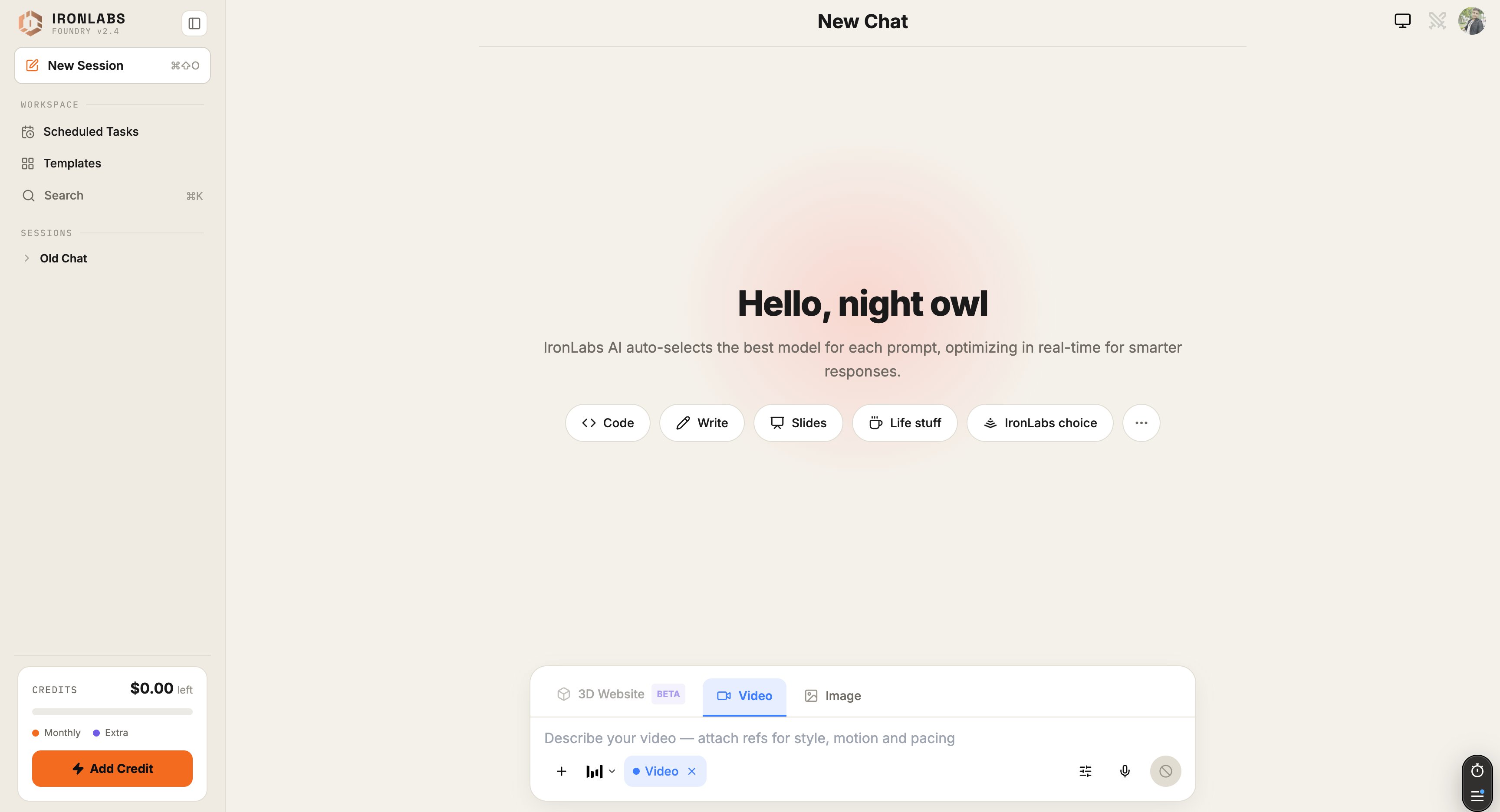
2. Type a question
Anything — “explain merge sort to a 12-year-old”, “summarize the latest Anthropic research”, “write a launch email”. Hit Enter.3. Watch the routing
Look at the footer of the reply. You’ll see something like:4. Add a source
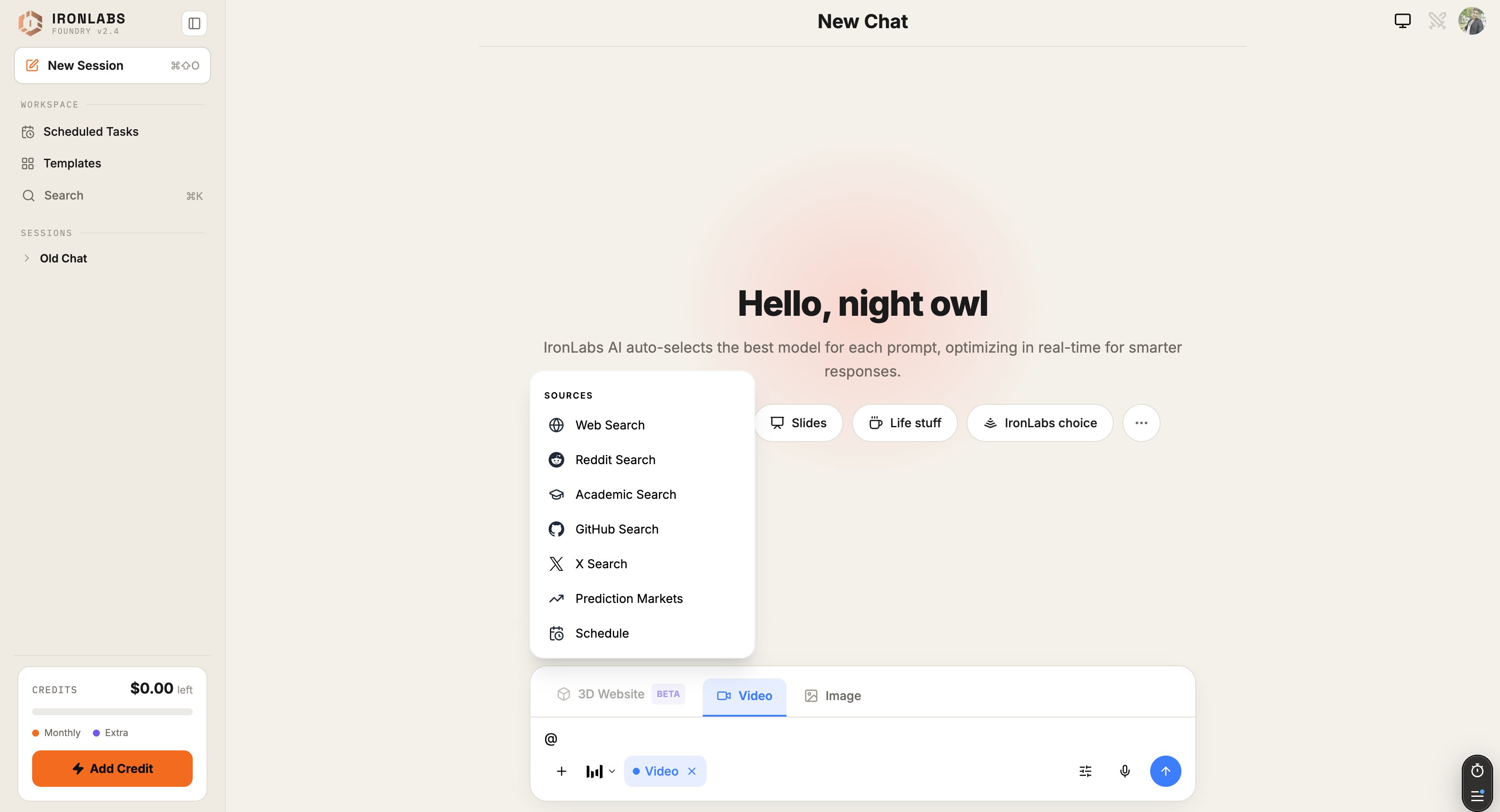
Type@ to open the Sources menu. Pick Web, Deep Research, Reddit, or X. Your next question gets grounded in live results — with citations under the reply.
5. Switch modes
Type/ to open the mode switcher:
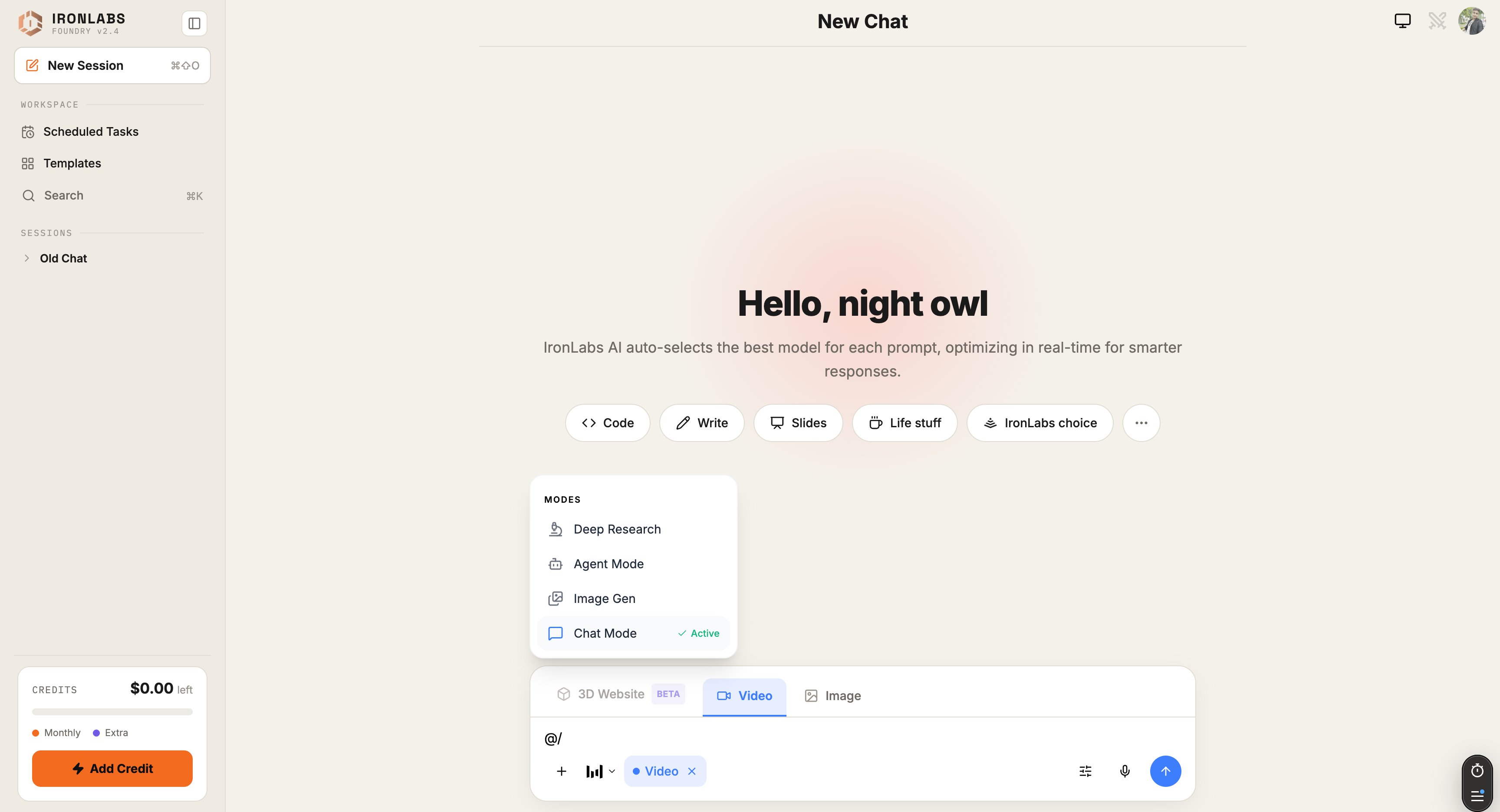
The composer also has shortcut tabs at the bottom for 3D Website (Beta) / Video / Image so you can switch modes without typing
/.
What you just did
- Sent a routed chat (no model picking).
- Grounded a reply in live web sources.
- Saw the model decision in the footer.
Next up
Interface tour
Every button labeled.
Try Image Mode
Generate your first image.
Connectors
Plug in Exa, ElevenLabs, Gamma, more.
Schedule a Task
Run a prompt on a cron.