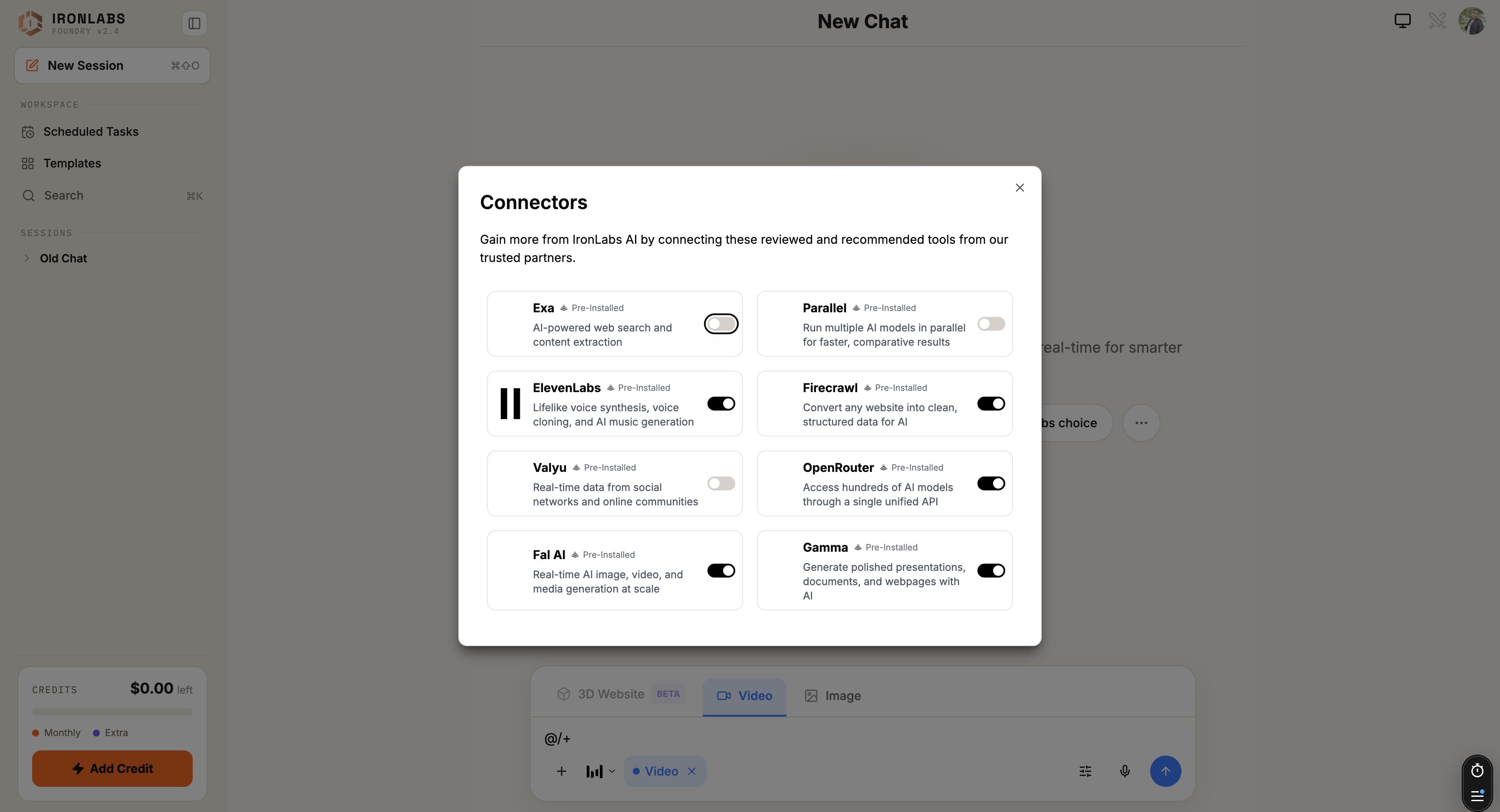
Foundry ships with eight services wired up. To use one, click + in the composer, pick the connector, and paste the API key when prompted. From then on, the assistant can call it in any chat.
Pre-installed connectors gallery — Exa, Parallel, ElevenLabs, Firecrawl, Valyu, OpenRouter, Fal AI, Gamma.

The eight

ConnectorWhat it doesWhere to get a key
ExaAI-powered web search and content extraction. Default search engine for Deep Research.exa.ai
ParallelRun multiple AI models or queries in parallel; fast agentic search fallback.parallel.ai
ElevenLabsVoice synthesis, voice cloning, AI music. “Read this aloud in a calm female voice.”elevenlabs.io
FirecrawlConvert any website into clean, structured data. The deep-page extractor under Deep Research.firecrawl.dev
ValyuReal-time social and community data — sentiment, trend signals.valyu.network
OpenRouterUnified access to 100+ models. Useful as a fallback gateway.openrouter.ai
Fal AIImage, video, and media generation at scale. Heavy-lifting for big batches.fal.ai
GammaGenerate polished presentations, docs, and webpages from a prompt.gamma.app

How they’re used

The assistant decides when to call a connector based on your prompt. If you ask for a deck, Gamma is the obvious tool. For a voiceover, ElevenLabs. You can also be explicit — “Use Firecrawl to crawl this site” — and Foundry will respect your choice.

Security

API keys are stored encrypted, server-side. They’re never sent to the model and never exposed in the chat transcript. Calls go through a sandbox proxy that injects the key at request time.

Tips

  • Connect Exa and Firecrawl first — they power the heavy-grounding sources (Web, Deep Research).
  • Bring your own quota. Each connector meters usage on your account.
  • Disconnect anytime from Settings → Connectors. Disconnecting deletes the stored key.

Adding custom connectors

Wire up anything with an API key.

Skills

Skills can reference a connector by name.