
+.
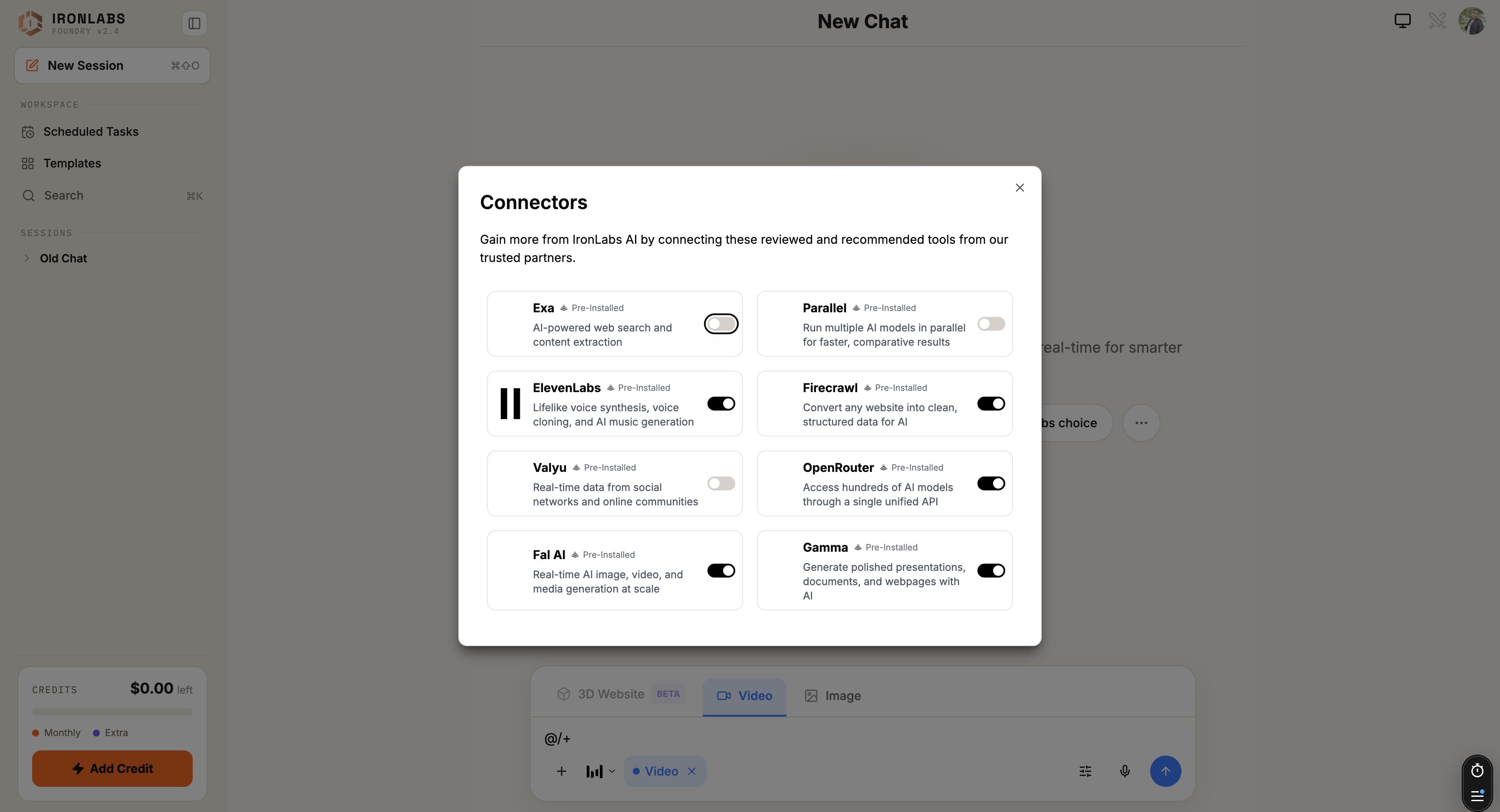
How it works
- Connect a service once — you paste your API key.
- The assistant can then call that service inside any chat where the connector is enabled.
- Calls happen through a sandbox proxy. Your API key never leaks into the chat or the model context — Foundry adds it server-side at call time.
Two flavors
When you’d use a connector
- “Generate a voiceover of this script in Rachel’s voice.” → ElevenLabs.
- “Crawl this competitor’s pricing page and structure the tiers.” → Firecrawl.
- “Turn this outline into a deck.” → Gamma.
- “Spin up 4 model responses in parallel to compare.” → Parallel.
Tips
- Connect once, use everywhere. Connectors are per-account, not per-chat.
- Toggle off when you don’t want them. The
+menu lets you enable/disable per-chat so you don’t accidentally burn quota.
Limits
- All connectors today are API-key auth. OAuth flows aren’t yet wired up.
- Some connectors meter usage on your account (you bring your own key, you pay your own bill).
Related
Pre-installed connectors
The eight that ship with Foundry.
Zapier
Put Foundry into your Zaps.
Add a custom connector
Anything with an API key.
Skills
Skills often pair with a connector.