> ## Documentation Index
> Fetch the complete documentation index at: https://docs.ironlabs.ai/llms.txt
> Use this file to discover all available pages before exploring further.
# Quickstart
> Send your first chat on Foundry — under 2 minutes, no setup.
## 1. Open Foundry
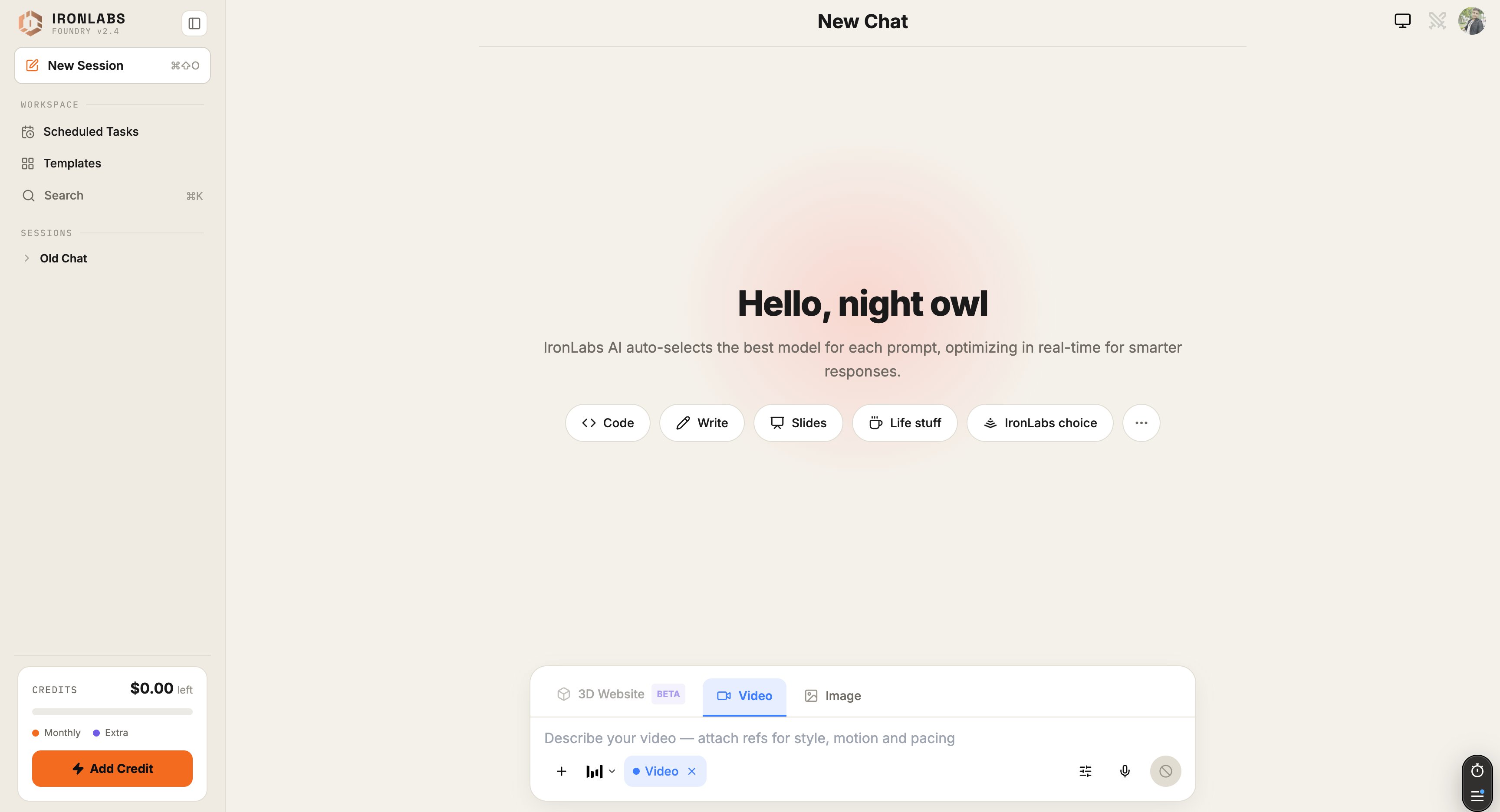
Head to [chat.ironlabs.ai](https://chat.ironlabs.ai) and sign in.
 ## 2. Type a question
Anything — *"explain merge sort to a 12-year-old"*, *"summarize the latest Anthropic research"*, *"write a launch email"*. Hit **Enter**.
## 3. Watch the routing
Look at the footer of the reply. You'll see something like:
```
Routed via Anthropic / Claude 3.5 Sonnet
```
That's Foundry telling you which model it picked for this turn. Different prompt → different model. You didn't have to choose.
## 4. Add a source
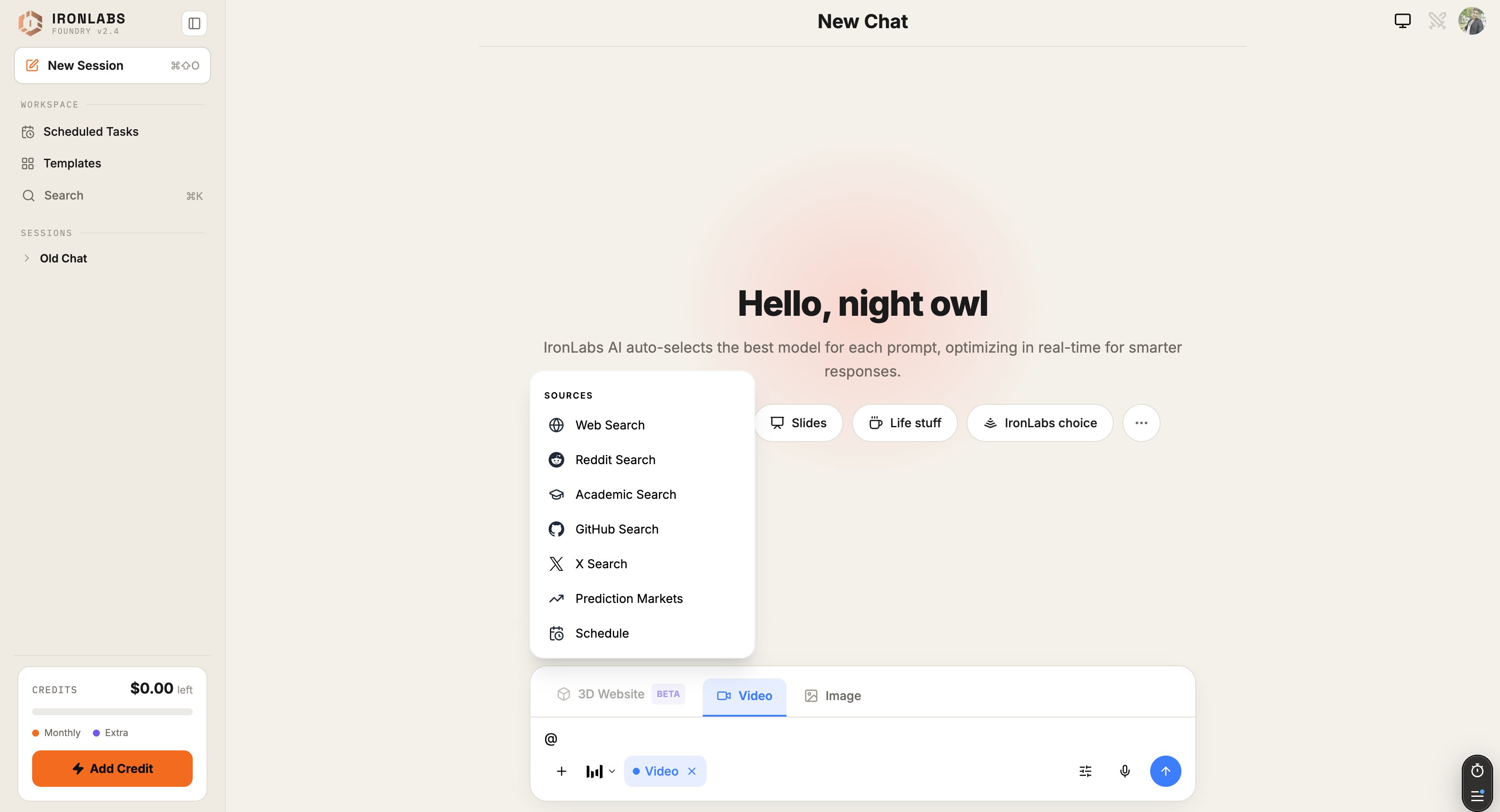
Type `@` to open the **Sources menu**. Pick **Web**, **Deep Research**, **Reddit**, or **X**. Your next question gets grounded in live results — with citations under the reply.
## 2. Type a question
Anything — *"explain merge sort to a 12-year-old"*, *"summarize the latest Anthropic research"*, *"write a launch email"*. Hit **Enter**.
## 3. Watch the routing
Look at the footer of the reply. You'll see something like:
```
Routed via Anthropic / Claude 3.5 Sonnet
```
That's Foundry telling you which model it picked for this turn. Different prompt → different model. You didn't have to choose.
## 4. Add a source
Type `@` to open the **Sources menu**. Pick **Web**, **Deep Research**, **Reddit**, or **X**. Your next question gets grounded in live results — with citations under the reply.
 ## 5. Switch modes
Type `/` to open the mode switcher:
## 5. Switch modes
Type `/` to open the mode switcher:
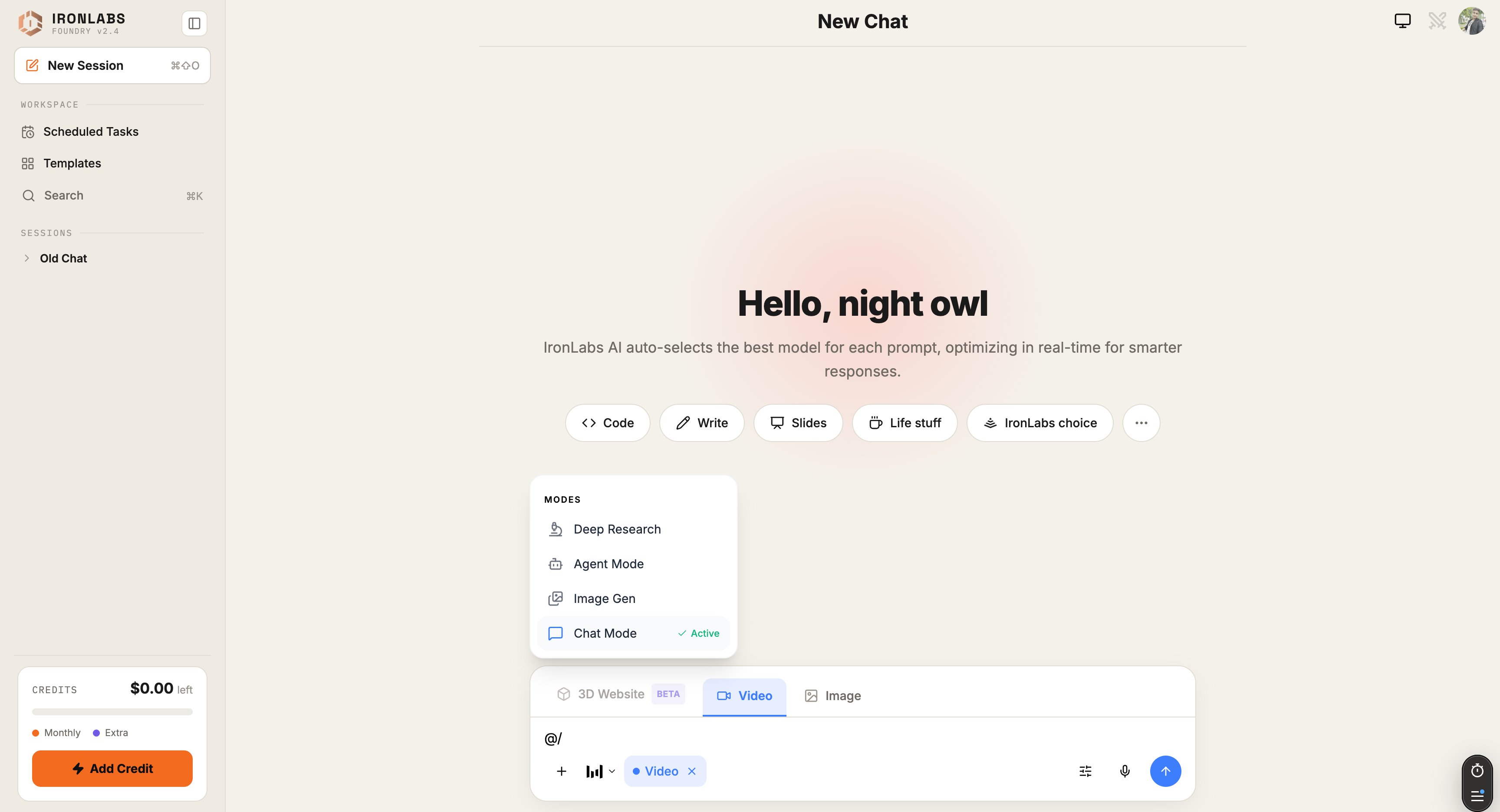 | Mode | What you'll get |
| ----------------- | --------------------------------------------------- |
| **Chat** | Default. Text in, text out. |
| **Agent** | Foundry can use Skills + Connectors to take action. |
| **Deep Research** | Multi-step web research with citations. |
| **Image Gen** | Generate images with Nano Banana 2 and friends. |
The composer also has shortcut **tabs** at the bottom for **3D Website (Beta) / Video / Image** so you can switch modes without typing `/`.
## What you just did
* Sent a routed chat (no model picking).
* Grounded a reply in live web sources.
* Saw the model decision in the footer.
## Next up
Every button labeled.
Generate your first image.
Plug in Exa, ElevenLabs, Gamma, more.
Run a prompt on a cron.
| Mode | What you'll get |
| ----------------- | --------------------------------------------------- |
| **Chat** | Default. Text in, text out. |
| **Agent** | Foundry can use Skills + Connectors to take action. |
| **Deep Research** | Multi-step web research with citations. |
| **Image Gen** | Generate images with Nano Banana 2 and friends. |
The composer also has shortcut **tabs** at the bottom for **3D Website (Beta) / Video / Image** so you can switch modes without typing `/`.
## What you just did
* Sent a routed chat (no model picking).
* Grounded a reply in live web sources.
* Saw the model decision in the footer.
## Next up
Every button labeled.
Generate your first image.
Plug in Exa, ElevenLabs, Gamma, more.
Run a prompt on a cron.