> ## Documentation Index
> Fetch the complete documentation index at: https://docs.ironlabs.ai/llms.txt
> Use this file to discover all available pages before exploring further.
# What is Foundry?
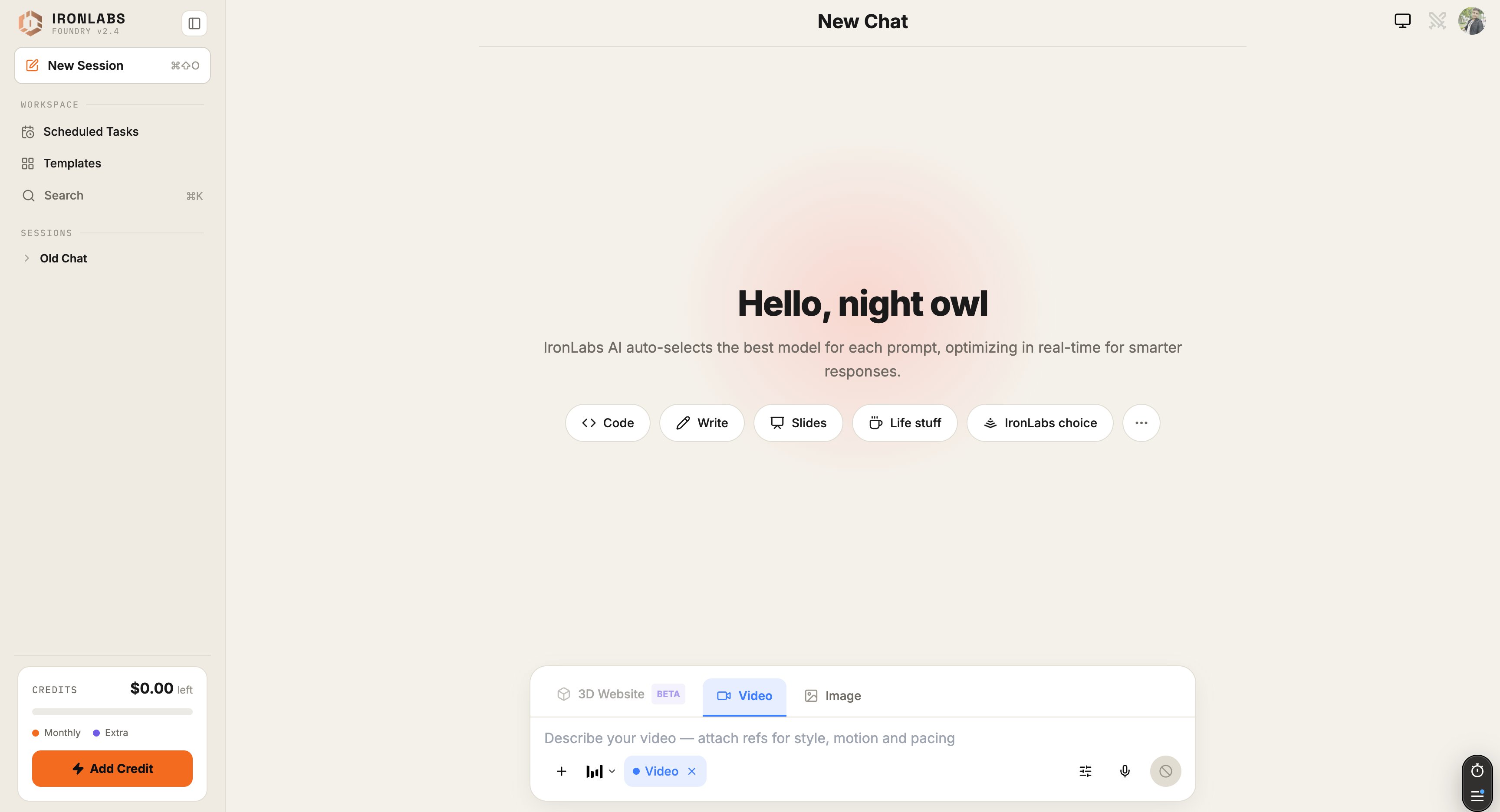
> IronLabs Foundry is the chat that picks the right model for every turn, and switches into Image, Video, or 3D mode when text alone won't cut it.
Foundry is the IronLabs chat at [chat.ironlabs.ai](https://chat.ironlabs.ai). Open it, type a question, and it routes your prompt to the model most likely to give you the best answer — fast when fast is what matters, smart when smart is what matters.
When chat isn't enough, flip a mode and Foundry switches engines:
Generate visuals with Nano Banana 2, Gemini 2.5 Flash, and friends. Aspect ratios up to 8:1, quality up to 4K.
Script → frames → cut. Cinematic video without leaving chat.
Brief in, immersive 3D site out. Currently in beta.
## Why people use Foundry
* **One chat, many models.** You don't pick — Foundry picks. The footer of every reply tells you which model answered.
* **Live sources.** Pull in Web, Deep Research, Reddit, X, Academic Search, or GitHub mid-conversation.
* **Skills + Connectors.** Plug in Exa, ElevenLabs, Firecrawl, Gamma, and friends. Drop in a Skill ZIP and the assistant gains a new ability.
* **Scheduled Tasks.** Run a prompt on a cron — every morning, every Monday, every hour.
* **Reasoning that you can watch.** Turn on Live Reasoning and see how the model thinks before it answers.
 ## What's next
Send your first chat in under 2 minutes.
Where every button lives and what it does.
## What's next
Send your first chat in under 2 minutes.
Where every button lives and what it does.